


At CardingSecrets.is we’re a collective of experienced carders dedicated to sharing reliable, field-tested carding tutorials. Most of us started carding between 2012 and 2018, and over the years, we’ve honed our skills across various carding methods.
From beginners to seasoned pros, we’re here to help you master the art of carding.
Last Updated on 10 hours ago by CardingSecrets Team
Discover the SOCKS5 Proxy Carding Guide and mask your IP for ultimate privacy. Learn why carders use them and boost success rates!
Understanding of Socks5 Proxy Carding
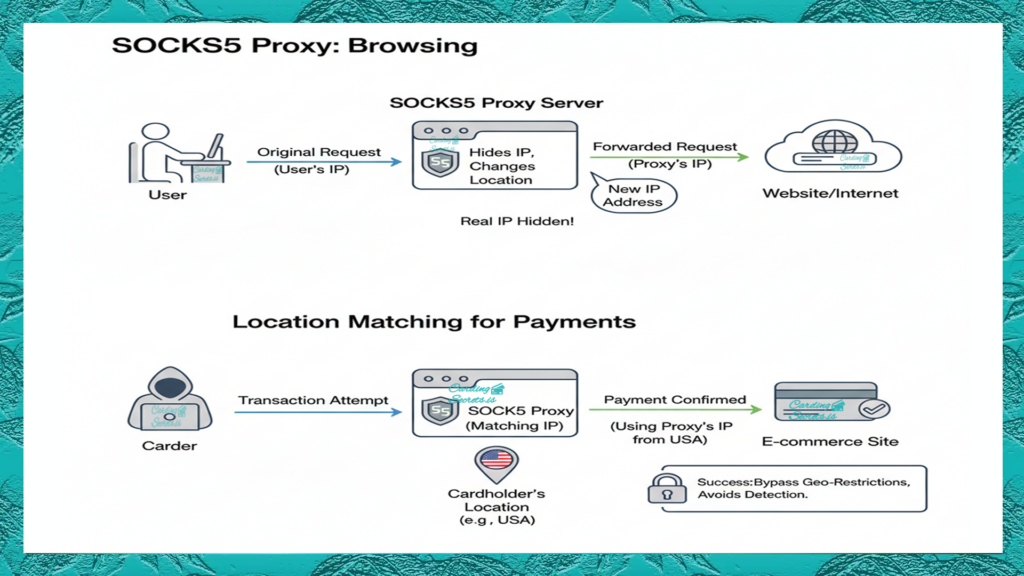
A SOCKS5 Proxy is a tool that helps direct your internet traffic between your device (like your computer or phone) and a website or online service. Think of it as a middleman that passes your requests to the website while hiding your real IP address. This adds an extra layer of privacy, making it harder for anyone to track what you’re doing online.


Carders focus on staying under the radar of payment systems, which can flag transactions as suspicious if the location of the device doesn’t match the cardholder’s location. To avoid this, they use SOCKS5 proxies to make their device’s IP address appear as if it’s in the same location as the cardholder. This makes their activity look more legitimate and helps them avoid getting caught.
When making a transaction, the process often involves several checks to ensure legitimacy. First, a Socks5 proxy is used to match the IP address with the cardholder’s location. The payment processor then verifies whether the Socks5 proxy IP is blacklisted. If the IP is not blacklisted, the payment is approved.
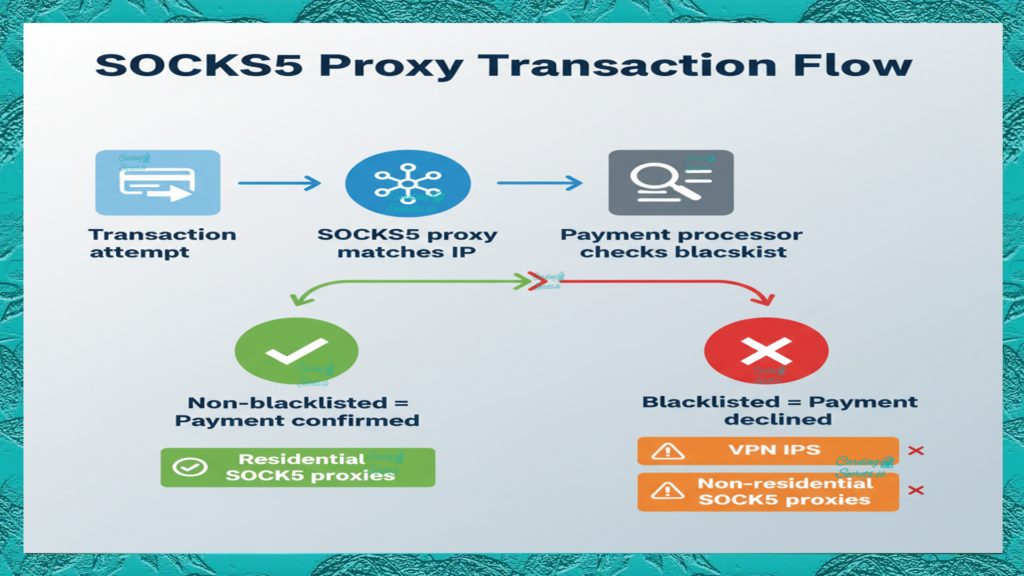
However, VPN IPs and regular Socks5 proxy IPs are almost always blacklisted, leading to failed transactions. In contrast, residential Socks5 proxy IPs are rarely blacklisted, making them the most reliable option for successful carding payments.
Regular Proxies VS Residential Proxies
What are the differences between Regular Proxies and Residential Proxies?
What Are Regular Proxies?
- Source: These proxies are often data center IPs, meaning they come from servers in data centers rather than real devices. They are not tied to a physical location or an internet service provider (ISP).
- Blacklisting: Since these proxies are widely used and shared, they are more likely to be flagged or blacklisted by websites, especially those with strict security measures.
- Reliability: Regular Socks5 proxies can be less reliable because they are often overused or poorly maintained.
- Use Cases: They are suitable for tasks that don’t require high anonymity or location-specific IPs, such as basic web scraping or accessing less secure websites.
What Are Residential Proxies?
- Source: Residential proxies use IP addresses assigned by ISPs to real devices, like home computers or mobile phones. These IPs appear as if they belong to actual users.
- Legitimacy: Because they mimic real user behavior, residential proxies are much harder to detect and block. They are seen as more legitimate by websites.
- Reliability: Residential proxies are more reliable for tasks requiring high anonymity and location-specific access. They are less likely to be flagged or blacklisted.
- Ideal for Carding Activities
Conclusion
While regular Socks5 proxies may work for basic tasks, residential proxies are the best choice for carders that’s needing non blacklisted Ip’s with high anonymity, reliability, and location specifics.
Click the link below, if you want to do an IP blacklist check:
https://whatismyipaddress.com/blacklist-check
Where to get Residential Socks5 Proxy?

PlusCards.cm is a great choice for SOCKS5 proxy carding. They offer high quality residential proxies that are fast, reliable, and secure. You can also buy proxies in bulk at discounted prices, making it a convenient option for anyone who needs a lot of proxies at once.

Video: IP Pool
Pluscards.cm offers an IP pool of over 10 million addresses, covering 99.2% of countries worldwide. They ensure access to IPs from every city with a population of 100,000 or more.
Compatibility Devices
What devices are compatible with Socks5 Proxy Carding?
PC Socks5 Proxy Carding (Tutorial)

Video Tutorial below: How to buy & Set-up Proxy Socks5 for PC
Click here for more info about PC Proxy Carding Proxies for PC
Android: Socks5 Proxy Carding

Video Tutorial below: how to set up your Android device with Socks5 proxies
Click here for more info about Android Socks5 Proxies Carding Setup
iPhone: Socks5 Proxy Carding

Video Tutorial Below: Socks5 iPhone Carding Setup
Click here for more info about Socks5 iPhone Carding Setup
Socks5 Proxy Carding: Automated Proxies
Setting up a SOCKS5 proxy can be confusing and take a lot of time because of all the technical steps involved.
Carding Genie makes everything easy by doing the work for you. This automatic tool runs in the background and sets up your SOCKS5 proxy. There’s no need to deal with IP addresses or settings. It’s saving time for you and making your connection automatically secure and fast.


