


At CardingSecrets.is we’re a collective of experienced carders dedicated to sharing reliable, field-tested carding tutorials. Most of us started carding between 2012 and 2018, and over the years, we’ve honed our skills across various carding methods.
From beginners to seasoned pros, we’re here to help you master the art of carding.
Last Updated on 5 months ago by CardingSecrets Team

Another bitcoin site. Use this bitcoin carding cashout method to cashout your nonvbv Fullz from **wcc-plug.cm**, **creditking.cm** or **pluscards.cm**.


Requirements:
- Obtain a NonVbv CC from wcc-plug.cm, creditking.cm or pluscards.cm.
- Make sure the NonVbv CC comes with all personal information (fullz).
- Use a Proxy, VPN, or RDP that matches the CC holder’s location.
- Email address – You can use a disposable email (temp-mail.org) or a random email you have access to.
- Check the card balance before use. Learn more about balance checking here.
- Set up a crypto wallet to receive the carded coins.
Recommended wallets:
Phantom Wallet (For Solana/Eth or BTC),
Rabby (For only Ethereum),
Bluewallet (For only btc).
2026 Update: Chainbits CC to Bitcoin Carding Method is Still working (Tutorial VIDEO)
Yes guys, this method is still working in 2026! Watch how we make $2205 in Bitcoin within minutes!
Below you will find the original CHAINBITS Bitcoin Carding method (same steps, older date)
1. Visit buy.chainbits.com and choose crypto amount
We will cashout $500 in this tutorial as that is the remaining balance of this cc, simplex gateways wont ask for verification docs if you have a non vbv fullz card!

Fill your address for which you will receive the crypto to.
Make sure it is your wallet and that you have full control
Payment summary
Confirm the summary of the order you are about to make. The total should be $500 or below

Enter Card Details
I will use an USA card for this method. It’s a nonvbv and should work fine. The site accepts Visa and Mastercard so make sure your card is one of the two

Fill all the fields without pasting any data into the fields
Type using keyboard
Agree to Terms and Conditions
Click on I Agree terms and conditions to continue. You must accept before continuing.

Enter Card billing Address
Use the Fullz you got to fill the billing address. You should know that the billing of the card acts as the verification for authorization of the card. some gateways will not charge if the billing is not correct.

Enter your personal details
Use the Fullz information to fill the fields asked. The phone number can be any number since no verification is sent to it. Don’t use the owner phone number since some order notifications may be sent

Confirm the email
The email you use in the billing must be confirmed before you continue. So, make sure that the email is accessible. Enter the code you receive

Select currency and continue
If you are prompted to select currency due to the card type. Go with the local currency of the card to prevent exchange fees
Click on continue to proceed
Card authorization
Wait for the card to be charged. Your order should be completed in about a minute since the card is not secured so the verification will be skipped

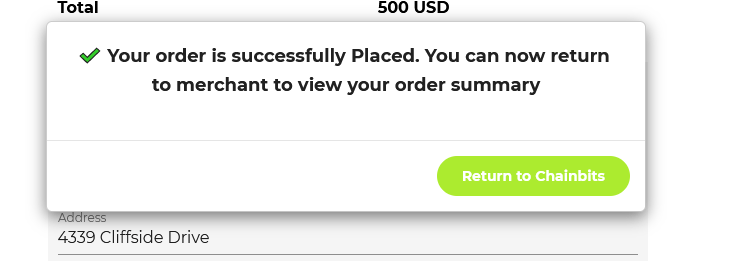
Payment processed
Your order should be processed finally and you will get a confirmation notification on browser and in email. You are done with the checkout now and you can go back to merchant site or view your transaction in blockchain
To confirm your purchase, you can check your wallet balance. Take note that the transaction may take time to verify and you may not see any balance yet. To check for any incoming transaction, check the address balance in blockchain explorer


